

Adding Questionaires to Kobo
For each indicator there is a detailed guide. Please have a look at the guide. For output indicators there are no standardized survey, nor a Kobo Collect form as for some output indicators it is easier to collect the data e.g. through phone calls, through existing project documentation (e.g. all indicators on institutional beneficiaries), through talking to colleagues (e.g .all indicators on supported initiatives/framework)
For most outcome Indicators, you will find in the guidelines: a link to a Kobo collect form that you can upload to your Kobo Toolbox account
If you use Kobo Collect, we urge you to first upload the Survey in you Kobo Toolbox as Step 1.

In a second step add the indicator you uploaded to your library

Now you should see the indicator in your library, and you can add this specific block of questions to a bigger survey:
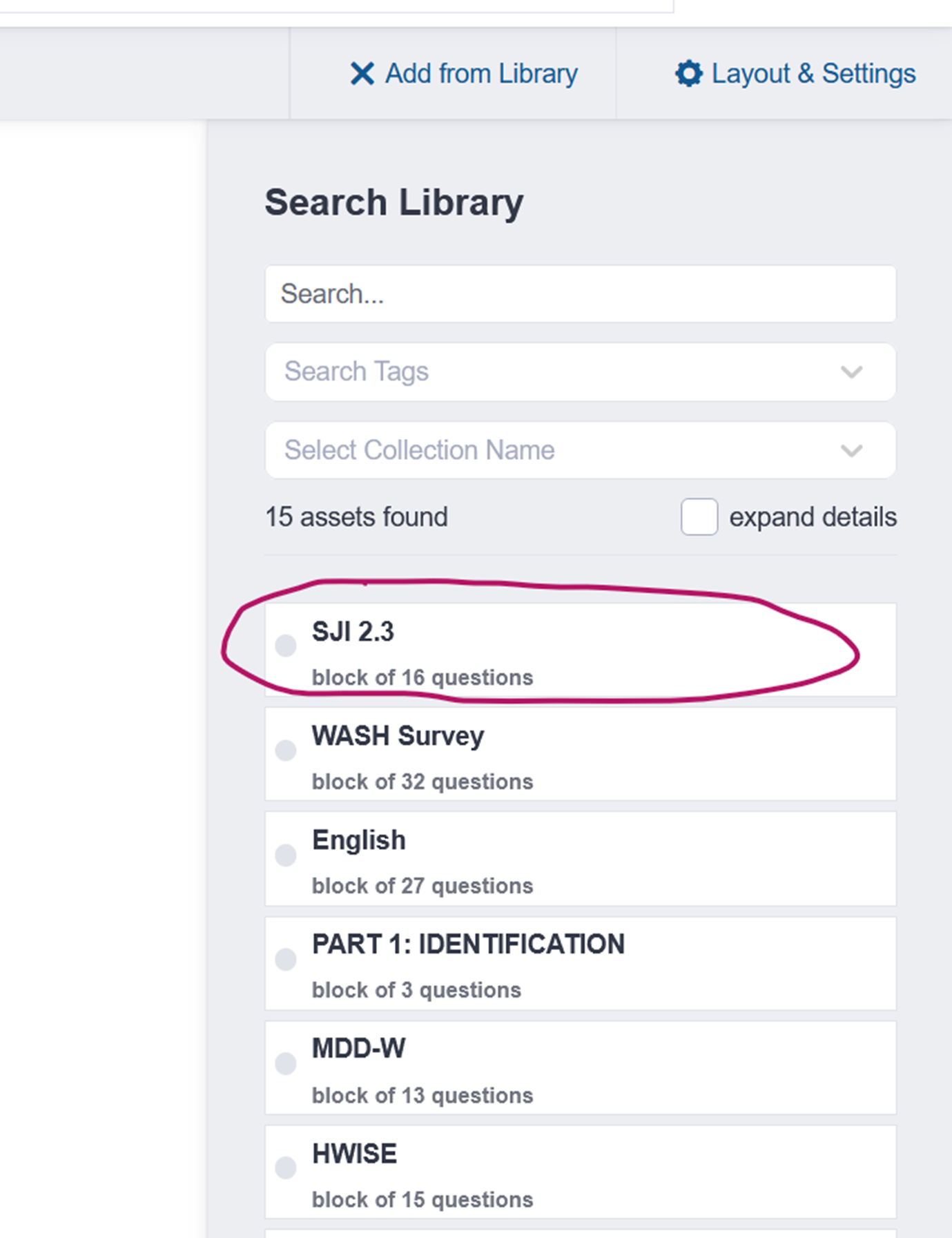
All standardized questionnaires are designed like puzzle pieces that you can easily add to your survey. When planning a midline or endline assessment, you can create your questionnaire by adding your own project-specific questions. Then, using a simple drag-and-drop function, you can include standardized question blocks for the different PIs you need to measure.
We also provide a ready-made block for the minimum required disaggregation categories. This ensures your data meets our minimum reporting requirements. The block also includes a consent form, which you can use in your participant characteristics section to make sure all necessary permissions are collected (see section disaggregation of People Indicators)